
Server stats
Locked voice channels whose names show your server's numbers — members, boosts, open tickets — refreshed every ten minutes, and a member growth chart on the analytics page.
Do this on my dashboardServer stats puts live numbers in your channel list: a category of voice channels nobody can join, each named after one figure — 👥 Members: 1 204, 🚀 Boosts: 14, 🎫 Open tickets: 3. The bot renames them as the numbers change, and records one snapshot a day for a member growth chart.
Set it up
Add counters
Press Add a counter and choose what it shows. The free plan allows three counters and the basic kinds; Premium allows ten and every kind.
| Counter | Shows | Plan |
|---|---|---|
| Members | Everyone in the server | Free |
| Humans | Members that are not bots | Free |
| Bots | Bot accounts | Free |
| Channels | Number of channels | Free |
| Roles | Number of roles | Free |
| Server age | Days since the server was created | Free |
| Open tickets | Tickets currently open | Free |
| Boosts | Nitro boosts | Premium |
| Members with a role | Members holding the role you pick | Premium |
| Joined today / Joined this week | Recent arrivals | Premium |
| Members goal | Members out of a goal you set — 1 204 / 1 500 | Premium |
| Tickets closed this week | Premium | |
| Average rating | The mean satisfaction rating | Premium |
| Awaiting verification | Members who have not passed verification | Premium |
| Support open / closed | The current support-hours state | Premium |
| Custom text | Your own template mixing any figure | Premium |
Name the channels
Channel name is a template where {value} is replaced by the number; empty uses a default name in the server's language. Discord limits a channel name to 100 characters.
A Custom text counter mixes several figures in one name: 👥 {members} · 🚀 {boosts}, with any of {members} {humans} {bots} {channels} {roles} {age} {tickets_open} {boosts} {tier} {role_members} {joined_today} {joined_week} {goal} {tickets_week} {rating} {verif_pending} {support}.
Save, then create the channels

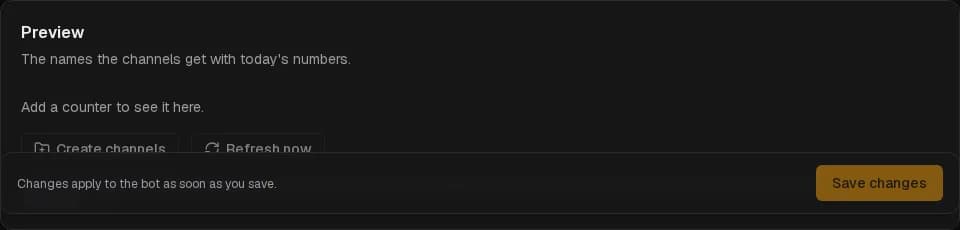
Save, then press Create channels. The bot makes a Server stats category (or uses the one you picked under Category) and one locked voice channel per counter — @everyone cannot connect — and names them with today's numbers. The Preview above the button shows the names it will use. The bot needs Manage Channels.
Enable server stats
Enable server stats and save: from now on the bot refreshes the names every ten minutes and takes a daily snapshot.
Refreshing
Discord allows two renames per channel every ten minutes. That is why the bot refreshes every ten minutes and only renames a channel whose number actually changed. Refresh now forces a pass; one right after another may be delayed by Discord.
Deleting a counter on the dashboard does not delete its channel — remove it in Discord when you no longer want it. Deleting a channel in Discord is recreated by the next Create channels.
Member growth
With stats on, the bot records members and boosts once a day. Analytics shows the curve — the last 7 days on the free plan, 30 days with Premium — with the net change and the peak over the window. The chart starts filling the day after you enable stats.
Welcome
Greet every new member with a card — a generated image with their avatar, a message, a button to your ticket panel — and give them roles on join.
Giveaways
Giveaways members join with one button — with entry requirements, bonus entries, a captcha, claims and templates — drawn on time by the bot. Every feature is free.