
Verification
New members prove they are human before they can talk — a button, a captcha inside Discord, or a web check with alt detection — and members who never pass can be removed.
Do this on my dashboardWith verification on, a member who joins gets an unverified role that sees only your rules and a verification channel. They press Verify, pass the check you chose, and receive the verified roles that unlock the rest of the server. Members who never pass can be kicked, banned or quarantined after a grace period.
Only members who join after you turn it on are affected. Apply to current members puts everyone else through it too.
Set it up
Create the two roles
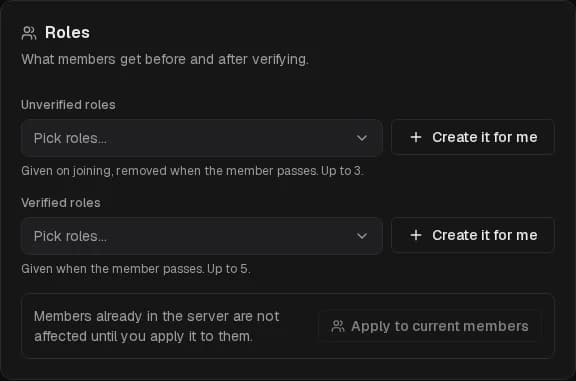
Under Roles, press Create it for me twice:
- Unverified — created with no permissions and allowed to see the panel channel. Hiding your other channels from it is up to you: in Server Settings → Roles, or channel by channel.
- Verified — created with no permissions. Give it access to your channels afterwards.
Or pick existing roles: up to several unverified and several verified roles. The bot's own role must sit above them in the role list, or it cannot give or remove them.
Choose the method
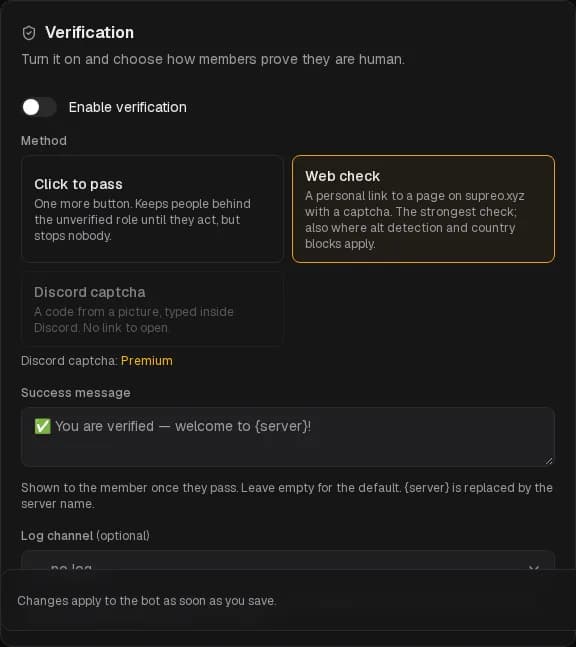
| Method | What the member does | Notes |
|---|---|---|
| Click to pass | Presses one more button. | Keeps people behind the unverified role until they act, but stops nobody. |
| Discord captcha (Premium) | Types a code from a picture, inside Discord. | No link to open. |
| Web check | Opens a personal link to a page on supreo.xyz with a captcha. | The strongest check, and the only one where alt detection, country blocks and Tor blocking apply. |
The web link is valid for 10 minutes and works once; the page keeps no cookies and no account.
Post the panel
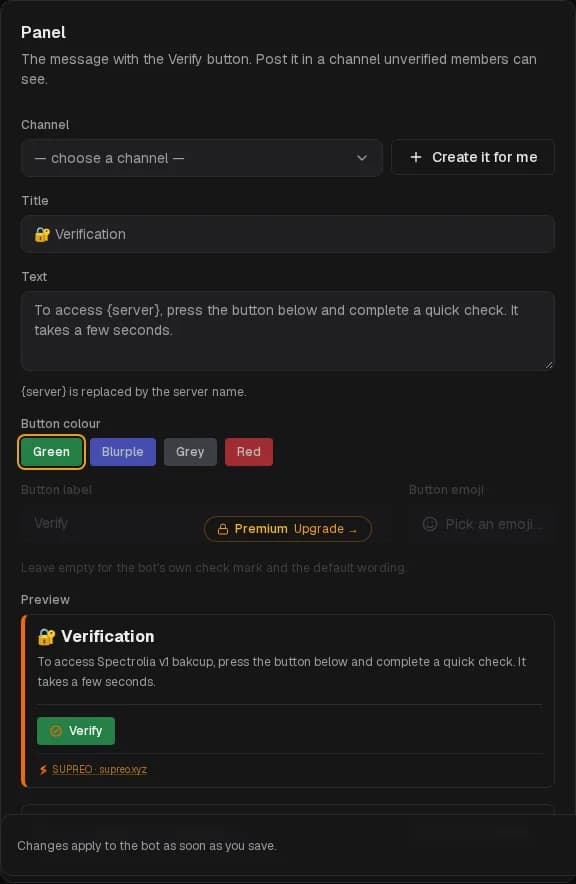
Create it for me makes a #verification channel everyone can read but not write in, or pick your own. Set the title, text and button label ({server} is replaced by the server name); the button's colour, and with Premium its emoji. Save, then Post the panel.
Success message is what the member sees once they pass; Log channel receives every pass, punishment and appeal — appeals and held accounts need it, because the staff decides from the buttons on those cards.
Turn it on
Enable verification and save. From now on, joiners get the unverified roles and the panel does the rest.
Punishments
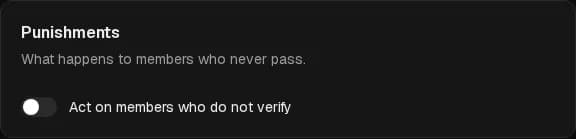
Act on members who do not verify — what happens to those who never pass. Set a grace period (minutes to a day) and/or a maximum of failed attempts; with neither, nothing ever happens.
| Action | Effect |
|---|---|
| Kick | Removed; they can join again and verify. |
| Ban (Premium) | Banned, recent messages removed. |
| Softban (Premium) | Removed with recent messages wiped; can join again. |
| Quarantine (Premium) | Every role is stripped, the quarantine roles are given, and the member is DM'd an Appeal button. The staff decides from the log channel. |
Reason shown to the member is included in the DM. Remind halfway through the grace period sends a DM with the time left and a link to the panel (grace periods under 10 minutes send none).
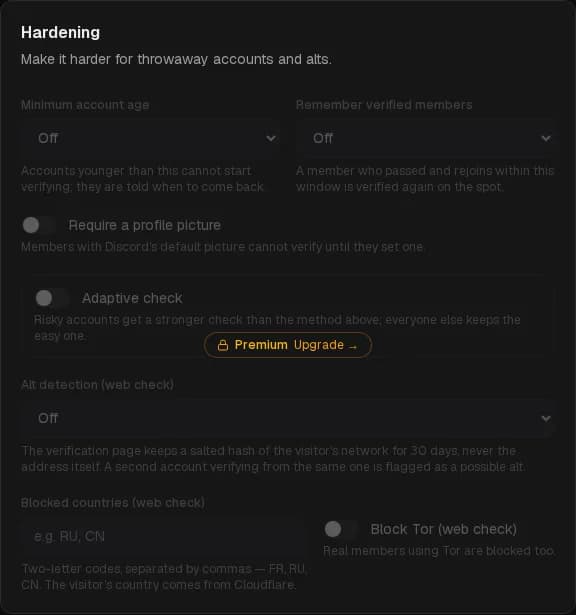
Hardening
Premium
- Minimum account age — accounts younger than this cannot start verifying; they are told when to come back.
- Require a profile picture — Discord's default avatar is not accepted.
- Adaptive check — risky accounts (younger than a threshold, or without an avatar) get a stronger method than the one above; everyone else keeps the easy one.
- Remember verified members — a member who passed and rejoins within the window is verified again on the spot.
- Alt detection (web check) — the verification page keeps a salted hash of the visitor's network for 30 days, never the address. A second account verifying from the same network is flagged in the log or held for review — you choose.
- Blocked countries (web check) — two-letter codes,
RU, CN. The visitor's country comes from Cloudflare. - Block Tor (web check) — real members on Tor are blocked too.
Waiting to verify
The bottom of the page lists members who have not passed yet and quarantined ones, with their flags — new account, no avatar, held — possible alt, blocked — and three buttons: Verify, Kick, Ban. The same decisions are offered on the cards in the log channel. /verify member verifies someone by hand from Discord.
Last 30 days sums it up: verified, removed, waiting, median time to verify, possible alts. The full breakdown is in Analytics.
Permissions
The bot needs Manage Roles, and Kick Members or Ban Members for the matching punishments, plus its role above the verification roles. The page lists what is missing.
It did not work?
Honeypot
A bait channel your members are told never to write in. Spam bots post everywhere they can — their first message there gives them away, and SUPREO acts.
Server stats
Locked voice channels whose names show your server's numbers — members, boosts, open tickets — refreshed every ten minutes, and a member growth chart on the analytics page.